Artificial intelligence promises to make analytics faster and more accessible. Tools like Microsoft Copilot for analytics and Enola claim to let anyone ask questions in plain language and get answers from complex datasets. But do they actually deliver business-ready insights?
To test this, I analyzed a critical supply chain question: How can we reduce the lead time for procurement? This question is central to operational efficiency, reducing inventory holding costs, improving supplier reliability, and enabling faster responses to market demand. Getting clear, data-driven insights on lead time can directly impact customer satisfaction and provide a strategic edge for businesses.
Setting Up the Experiment
The goal of my analysis was straightforward: identify opportunities to reduce procurement lead time. Lead time is a core driver of supply chain efficiency, affecting inventory management, working capital, and the ability to respond to changes in demand. A thorough analysis should highlight the regions, suppliers, or product categories that contribute most to delays and provide recommendations that procurement teams can act on.
An additional benefit to picking this use-case was that I have already used it for comparing ChatGPT with Enola, and therefore have fair benchmarks for it.
I used a dataset of procurement records, approximately 1.2 MB in size, containing historical purchase orders, supplier information, product categories, and delivery times. Both Copilot and Enola were tested with the same dataset using plain-English prompts to replicate how analysts and business users naturally interact with AI tools. The evaluation focused on speed, depth of insights, usability, and actionability of recommendations.
Using Copilot for Data Analysis
The Setup
Starting with Copilot was simple. I uploaded my CSV file into the chat interface and asked questions about reducing lead time. The interface was intuitive, and initial interaction felt straightforward.
Performance and Limitations
Despite the easy setup, Copilot struggled immediately. Even with a 1.2 MB file, it flagged the dataset as too large and requested smaller files. When reduced to 1,000 rows, Copilot returned seven generic recommendations on lead time reduction, none of which were data-driven or quantified. Suggestions like improving forecasting, vendor management, and logistics were disconnected from the actual dataset.
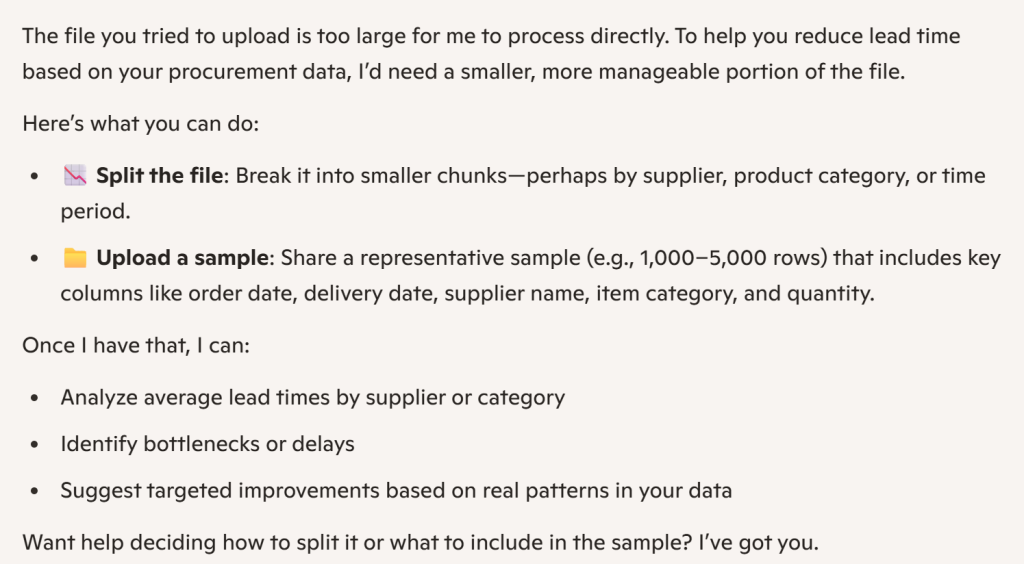
Despite the easy setup, Copilot struggled immediately. It cannot connect to live databases, so you cannot generate insights directly from dynamic and continuously updating warehouse data. Even with the dataset uploaded, when I asked business questions on reducing average lead time, the system returned generic, non–data-driven recommendations that were not aligned with the actual dataset.
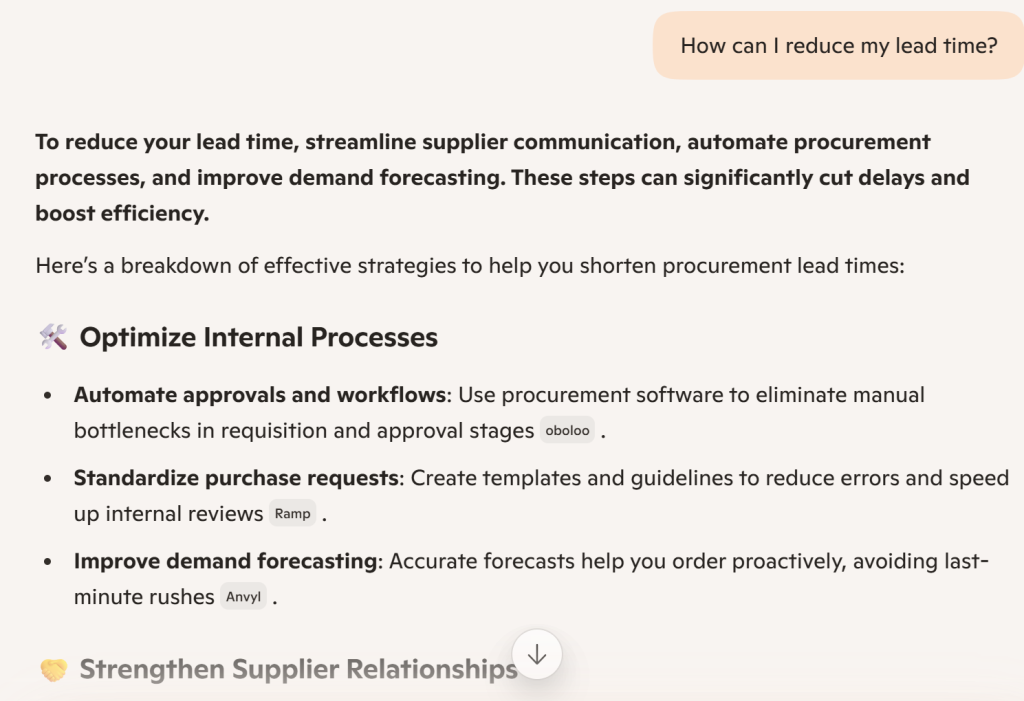
When the file was reduced to 1,000 rows, Copilot produced a bunch of recommendations, none of which were quantified or dataset-specific. Even with Copilot’s best model (Smart GPT-5), the answers were generic and not based on the dataset. It suggested areas like forecasting, vendor management, and logistics, which were not part of the chat or the actual data.
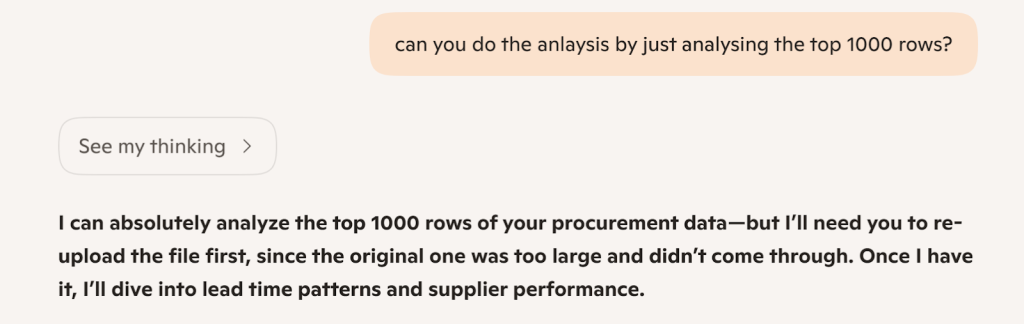

Copilot’s outputs are primarily high-level frameworks or step-by-step structures, making it suitable for learning or planning an analysis, but not for producing actionable, data-backed insights in real-world scenarios.
While I only tested for a CSV, it’s also true that unlike Enola, Copilot cannot connect to live databases, meaning it would not be analyze dynamic or continuously updating procurement data (as is often the case in real-world situations).
What It Got Right
Copilot can help users understand the steps involved in analyzing a problem, and its interface is exceptionally clean. For educational purposes or when creating an analysis plan, it can provide a framework. However, it falls short when real, dataset-specific recommendations are needed.
Even after dataset reduction and retries, Copilot could not provide insights tied to the actual procurement data. It remains fast in generating outputs but largely ineffective for operational decision-making.
Using Enola for Data Analysis
The Setup
Enola was equally easy to start with. I uploaded the procurement dataset CSV (though I also had the option of connecting my data warehouse directly with Enola), and asked the same questions. The AI analyst guided me efficiently through the process, requiring no technical preparation.
Performance and Insights
Within seconds, Enola produced a structured, concise response organized under Insights, Limitations, and Recommendations.
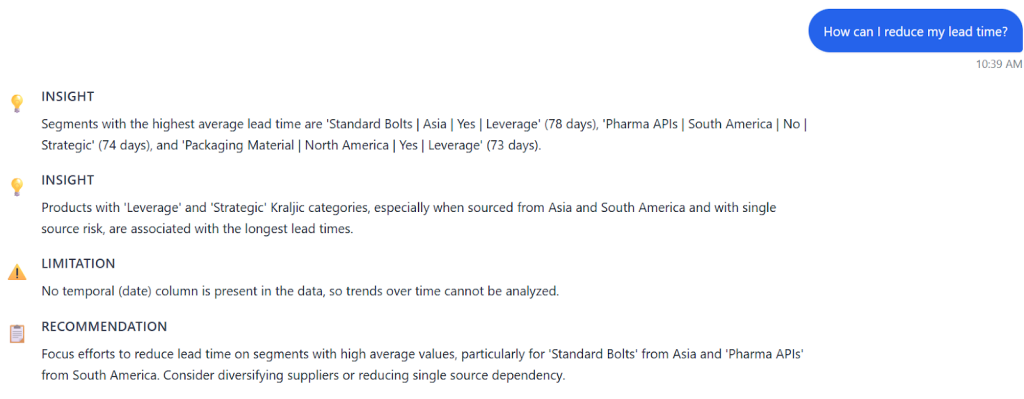
Using Enola’s Deep Analysis feature, the tool prompted follow-up questions to refine the query, such as which product category to focus on, whether negative trends should be considered, the relevant timeframe, and the target stakeholders. It asked critical clarifying questions and attempted to identify the key metric by posing a well-framed query.
Additionally, it structured a business question to validate and contextualize the information.
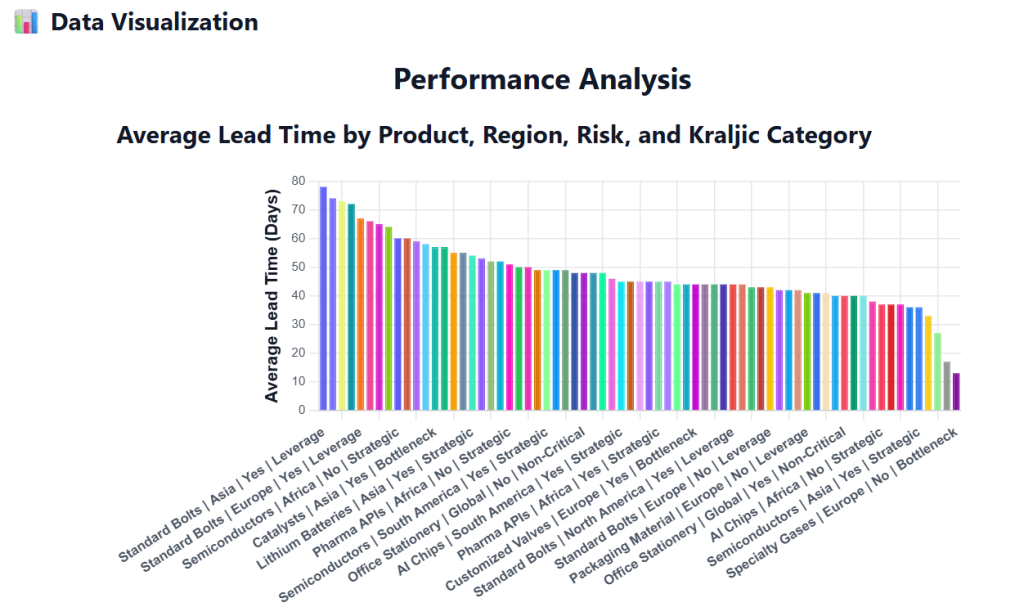
Enola also generated a single graph showing average lead time by region, risk, and product category which clearly highlighted combinations with the highest lead times.
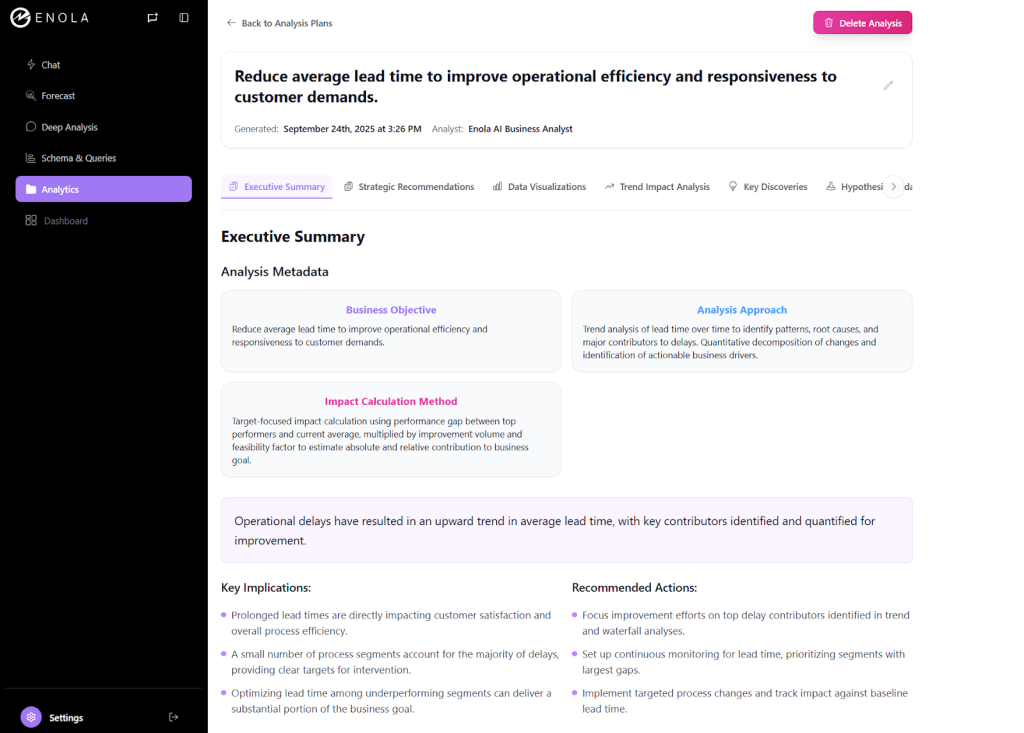
Enola also postulated multiple hypotheses for reducing lead time and provided flexibility to add or modify them as needed.
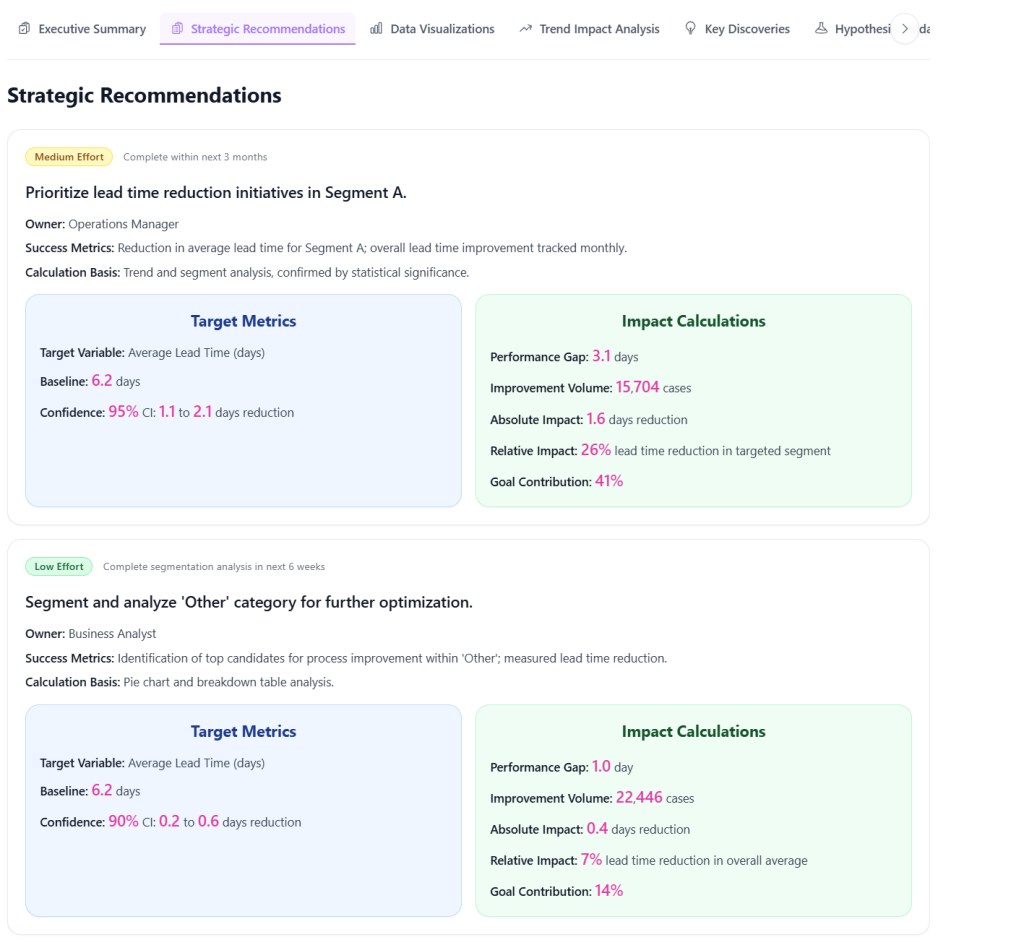
It did not just analyze the dataset but also contextualized results for business users, delivering an executive summary, visualizations, and a structured analysis plan.
What Could Be Better
While Enola excels in structured insight delivery, it is less technical by default. Analysts needing raw statistical detail, such as ANOVA or regression outputs, may need to guide the tool for those advanced analyses. The deep analysis workflow can feel lengthy if users are unfamiliar with the business context. Despite this, the overall experience requires far less cognitive effort than Copilot and produces tangible, actionable results.
The Broader Lesson: What “a Copilot for Analytics” Really Means
The experiment demonstrates that Copilot provides guidance but not actionable intelligence. It can outline steps but cannot generate dataset-specific insights, making it unsuitable for decision-making in real-world supply chain scenarios.
Enola bridges this gap. It interprets questions, performs analysis, identifies key drivers of lead time, and converts results into structured, actionable insights. In procurement, this means quickly understanding which suppliers, regions, or product categories are causing delays and how to address them efficiently.
Tools that convert raw data into actionable decisions are increasingly critical as supply chains become more complex and time-sensitive. Copilot offers frameworks, Enola delivers decisions.
When Insights, Not Workflows, Drive Business Decisions
Both Copilot and Enola make analytics accessible through natural language queries. Their outcomes, however, differ greatly. Copilot is useful for understanding the steps involved in analysis. Enola provides actionable, data-backed insights that can directly reduce procurement lead times and improve operational efficiency.
In this test, Copilot repeatedly failed to provide meaningful guidance from the dataset, while Enola offered structured analysis, hypotheses, visualizations, and stakeholder-focused recommendations. Copilot is fine for planning or educational purposes, I believe, while Enola is built for teams that need decisions supported by data.
If you want steps, use Copilot. If you want answers, use Enola.
Related Blog: