I have been working with various analytics tools for years now. I have built dashboards, written SQL for executives who did not know (or care) what SQL was, argued about metric definitions with managers, and translated business frustration into analysis more times than I can count.
So when I hear the phrase “AI analyst,” I am a little skeptical by default.
Recently, I tested two such tools side by side: AskEnola and GetDot. Same dataset. Same use case. Same person, i.e., yours truly, running both tools.
What surprised me was not the difference in features. It was the difference in how human the analysis process felt.
The Business Question
The question I started with was simple on the surface:
“How can we reduce the lead time for procurement?”
Anyone who has worked in supply chain or operations knows this is not a single-metric problem. Procurement lead time touches supplier performance, regional constraints, product mix, risk exposure, and internal process delays. It affects inventory holding costs, service levels, and how fast the business can respond to demand shifts.
In real life, when you ask a human analyst this question, they never answer it immediately. They ask you questions back. Maybe you don’t have all the answers, but the ones you have can make a whole lot of difference to the analyst’s final output.
This ability to ask and improve turned out to be the most important difference between these two tools.
Setup: Similar on Paper, Different in Feel
Both tools follow a familiar flow. Upload a CSV. Ask questions in plain English. Get insights.
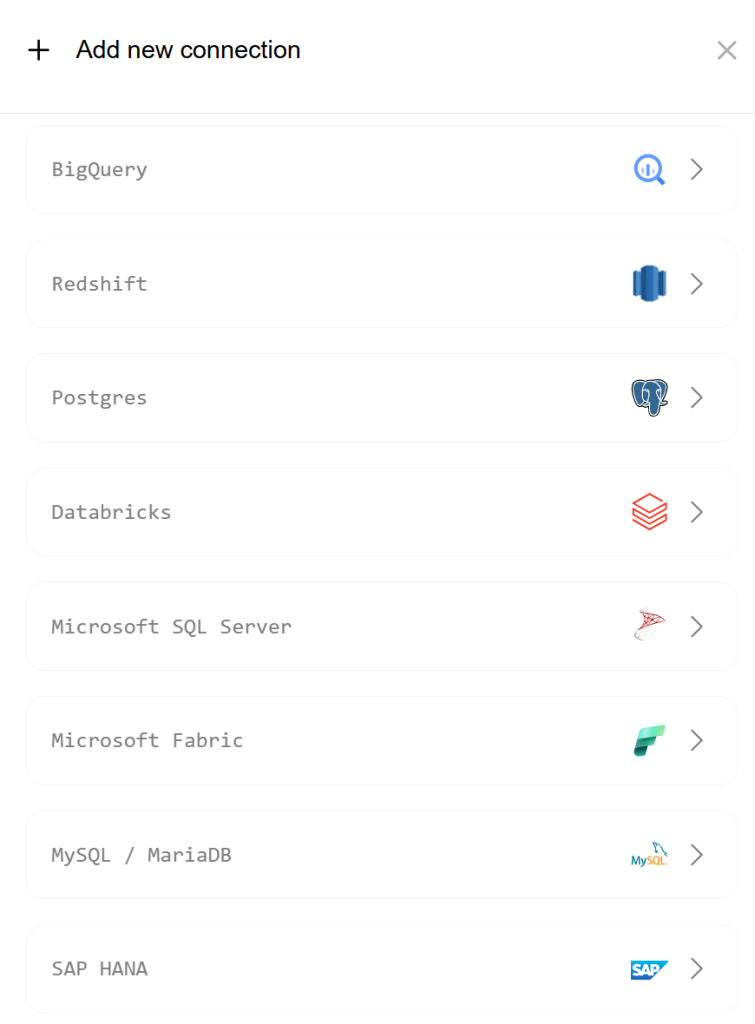
GetDot supports multiple upload and connection options, which is good. Once the file is in, you can start asking questions right away. AskEnola does the same, with the added option to connect directly to data warehouses and lakes, which matters if you are working with production data.
One small friction point with GetDot stood out early. Uploading even a small CSV (62 KB) took about 30 seconds. That may sound minor, but when you are exploring and iterating, these pauses add up mentally.
Still, the setup was not where the real differences showed up.
What It Was Like Using GetDot
Once I asked my question in GetDot, the tool went to work. It showed its reasoning process, step by step, as it analyzed the data. When the output finally appeared, 7 minutes and 35 seconds later, it was undeniably detailed.
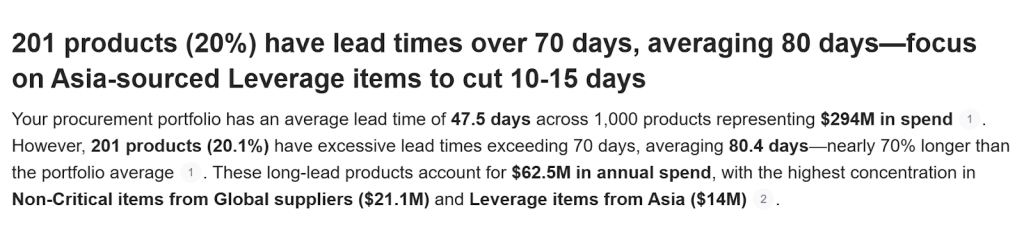
The response had a crisp summary header. It included multiple graphs. It provided tabular outputs. It even generated SQL and Python code. At the end, it offered recommendations and explicitly stated its assumptions.
From a completeness standpoint, this was impressive.
But as I read through it, I felt a familiar frustration.
GetDot had decided, on its own, what kind of analysis this question deserved. It never checked whether it was solving the right version of the problem. It never asked which product categories mattered more. It never clarified whether I cared about recent trends or structural issues. It never asked who the stakeholder was.
This is the key limitation: there is no back-and-forth.
GetDot behaves like a newbie analyst who delivers a long deck without ever talking to the business users. You get answers, but you do not get dialogue. The AI reasons internally, not collaboratively.
That makes it feel several steps removed from how real analysis actually works.
What Changed When I Used Enola
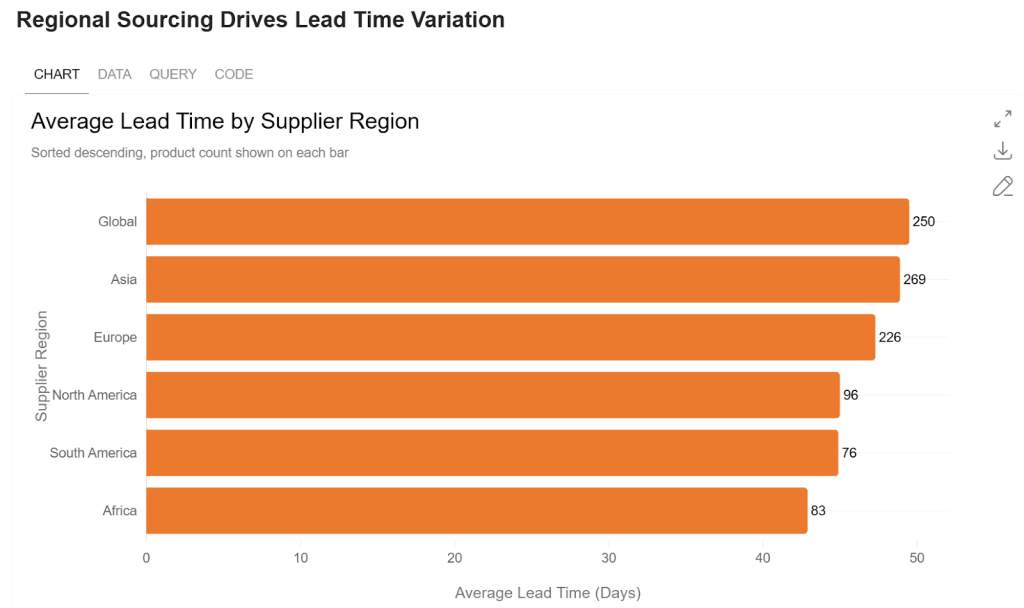
When I asked the same question in Enola, the initial response was faster—around a minute or two—and far more concise.
The output was structured under three clear headers: Insights, Limitations, and Recommendations. There was one primary visualization showing average lead time by region, risk level, and product category. It was simple, readable, and immediately highlighted where lead times were highest.
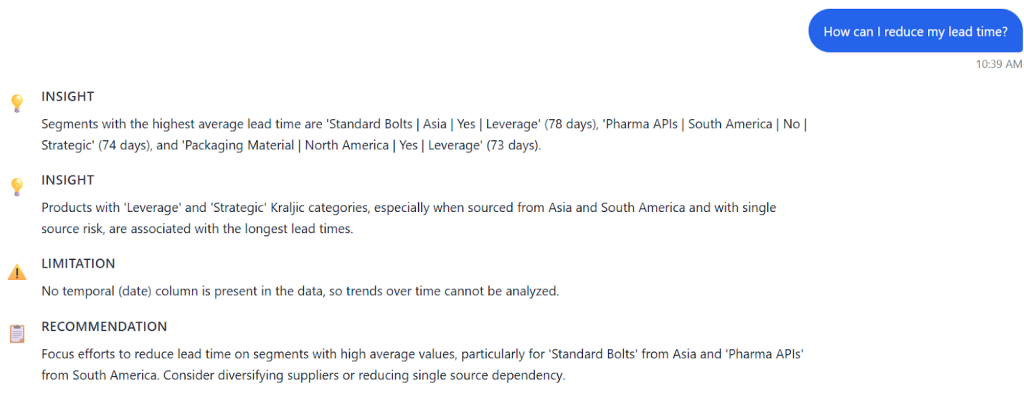
At first glance, this might seem less “powerful” than GetDot’s multi-chart output. But then I switched on AskEnola’s Deep Analysis mode.
That is where the experience fundamentally changed.
Instead of charging ahead, Enola started asking me questions.
- Which product categories should we focus on?
- What time frame matters here?
- Do we want to investigate negative trends specifically?
- Who is the audience for this analysis?
It even reframed the business question back to me, checking whether it had understood the real intent.
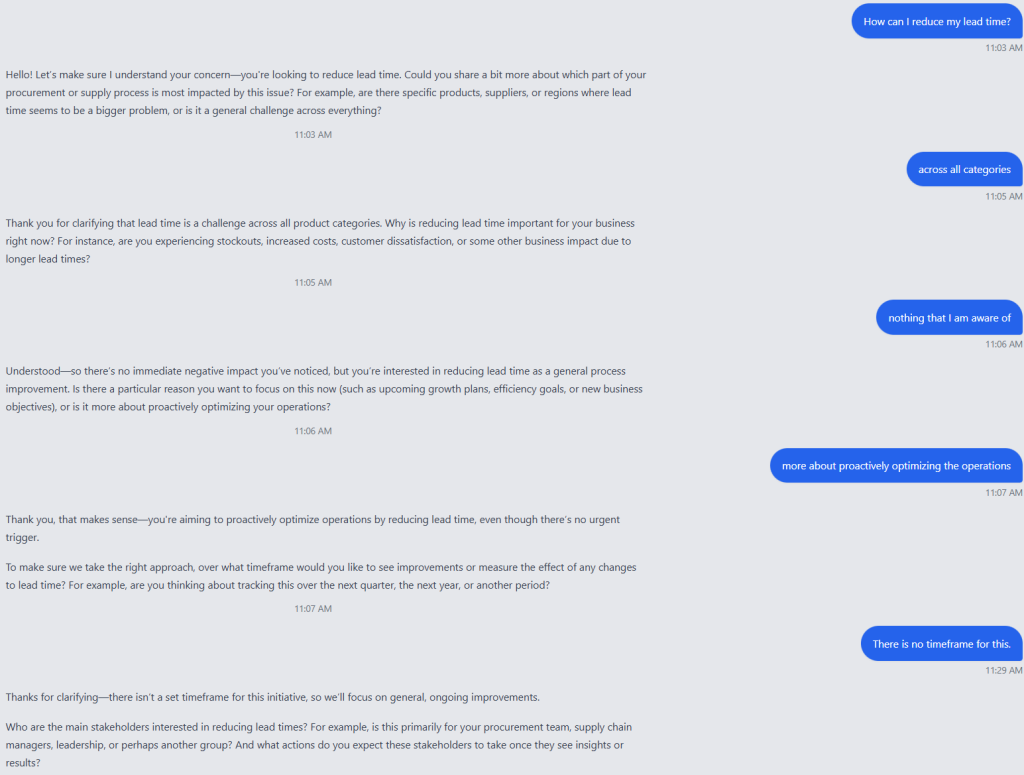
This felt familiar, in a good way. This is exactly how strong human analysts work. They do not assume. They clarify. They shape the analysis with you, not for you.
Conversational Analytics vs One-Way AI Analysis
This is the real difference between the two tools.
GetDot produces a lot of output, but it is fundamentally one-way. You ask. It answers. If the answer misses the mark, that is on you for not prompting perfectly.
Enola treats analysis as a conversation. The questions it asks are not filler. They actively influence the final analysis plan. It generates hypotheses, allows you to modify them, and structures the work in a way that mirrors how real analysts think.
As someone who has spent years being that analyst, this matters.
Business questions are rarely well-formed at the start. They become clear through dialogue. A tool that skips that step may look efficient, but it often ends up doing unnecessary work or answering the wrong question very thoroughly.
Speed, Cognitive Load, and Decision-Making
GetDot is powerful, but heavy. The outputs are long and text-rich. Extracting the key takeaway takes effort. For analysts who want raw material—charts, code, correlations—this can be useful.
Enola is lighter, faster, and more focused. The cognitive load is lower. I could see the drivers of long lead times almost immediately. The hypotheses gave me a starting point for action, not just interpretation.
Ironically, even as an analyst, I found Enola’s approach more efficient. I spent less time parsing output and more time thinking about what to do next.
So Which One Would I Use?
GetDot is fine when you already know exactly what you want to analyze and you want some extra depth, code, and exhaustive output. It feels like a very capable junior analyst who works silently and delivers a thick report.
Enola feels closer to a senior analyst sitting across the table from you, asking uncomfortable but necessary questions before committing to an analysis.
For me, that distinction matters more than the number of charts or lines of SQL.
Because the real value of analytics has never been in answers alone. It is in reasoning together toward the right answer.
And only one of these tools actually reasoned with me.
Related Blog:
Frequently Asked Questions
What is the best AI analytics tool in 2026?
The best AI analytics tool in 2026 depends on whether your priority is speed of insight or depth of reasoning. For teams that need to ask complex business questions and receive multi-step analysis with recommendations — not just charts — agentic AI platforms like AskEnola are the strongest performers. For simpler, dashboard-adjacent queries, tools like GetDot or ThoughtSpot offer solid search-based analytics. The market has shifted decisively toward tools that reason, not just retrieve.
How does AskEnola compare to GetDot?
AskEnola and GetDot both offer AI-powered analytics, but they differ in reasoning depth. GetDot is optimized for fast, surface-level answers to data questions — it retrieves and summarizes. AskEnola is built around a multi-step reasoning framework (BADIR™) that decomposes complex business questions, plans an analysis approach, queries the relevant data, and delivers a narrative recommendation. For straightforward lookups, both tools work; for complex business analysis requiring causal reasoning, AskEnola goes deeper.
Which AI analytics tool is better for business leaders?
For business leaders who need to make strategic decisions — not just retrieve metrics — AskEnola is better suited. Business leaders typically ask questions that require multi-dimensional analysis: ‘Why did churn increase?’ or ‘Which customer segments are most at risk this quarter?’ AskEnola is specifically designed to handle these compound questions by breaking them into analytical steps, pulling the right data, and delivering a recommendation — not just a number. GetDot and similar tools are better for operational teams doing quick data lookups.
Is AskEnola suitable for non-technical teams?
Yes — AskEnola is designed specifically for non-technical business users. It requires no SQL, no dashboard configuration, and no data science expertise. Users interact with it through plain English questions and receive answers in plain English, with the underlying SQL and data logic handled automatically. This makes it accessible to marketing, finance, operations, and executive teams without requiring data analyst involvement for every query.